UFIT/Telecommunications must enable a user for Webex desktop or Webex mobile. Because of local configurations with single-signon, you may be able to login to the client itself but not get connected to phone services. This is because UFIT/Telecommunications has not yet configured your signon to connect to your assigned phone line.

If you see a “Phone services are disconnected” message in the lower left of your Webex desktop client, this is exactly the problem you are experiencing. Submit a support ticket with your phone number, GatorLink username, and Webex clients you want activated (desktop, Apple/iOS mobile, or Android Mobile) to your local IT so they can have you enabled.
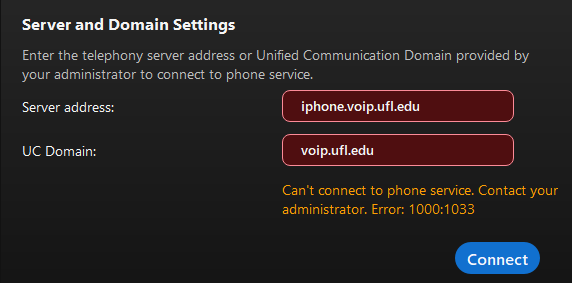
After you are activated, you can connect to phone services by going to the Phone Services tab in Settings. You’ll see something similar to the screenshot to the right. When you click the “Connect” button, you’ll be prompted to authenticate using your [Gatorlink Username]@ufl.edu email address and password (it will direct you to the UF login page).